
A unified dashboard that gathers all your data and delivers clear insights at a glance
Everything you need to manage your project efficiently in one place — track progress, monitor performance, and make confident decisions through a smart dashboard designed to keep you always ahead.
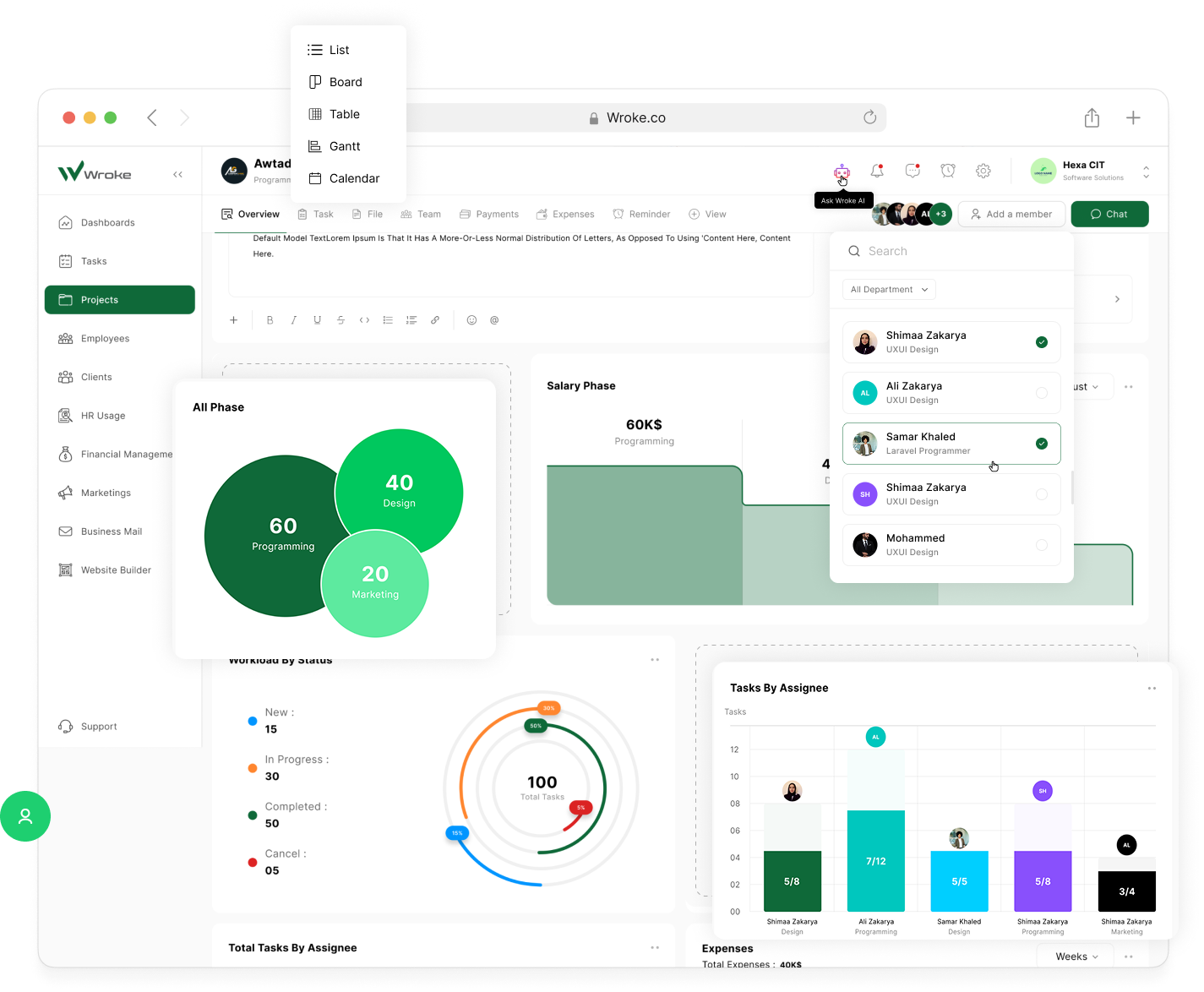
Clear project insights to track progress & succeed
The dashboard provides immediate and comprehensive insights that help you make quick and smart decisions to ensure your project’s success and efficiently achieve your team’s goals.
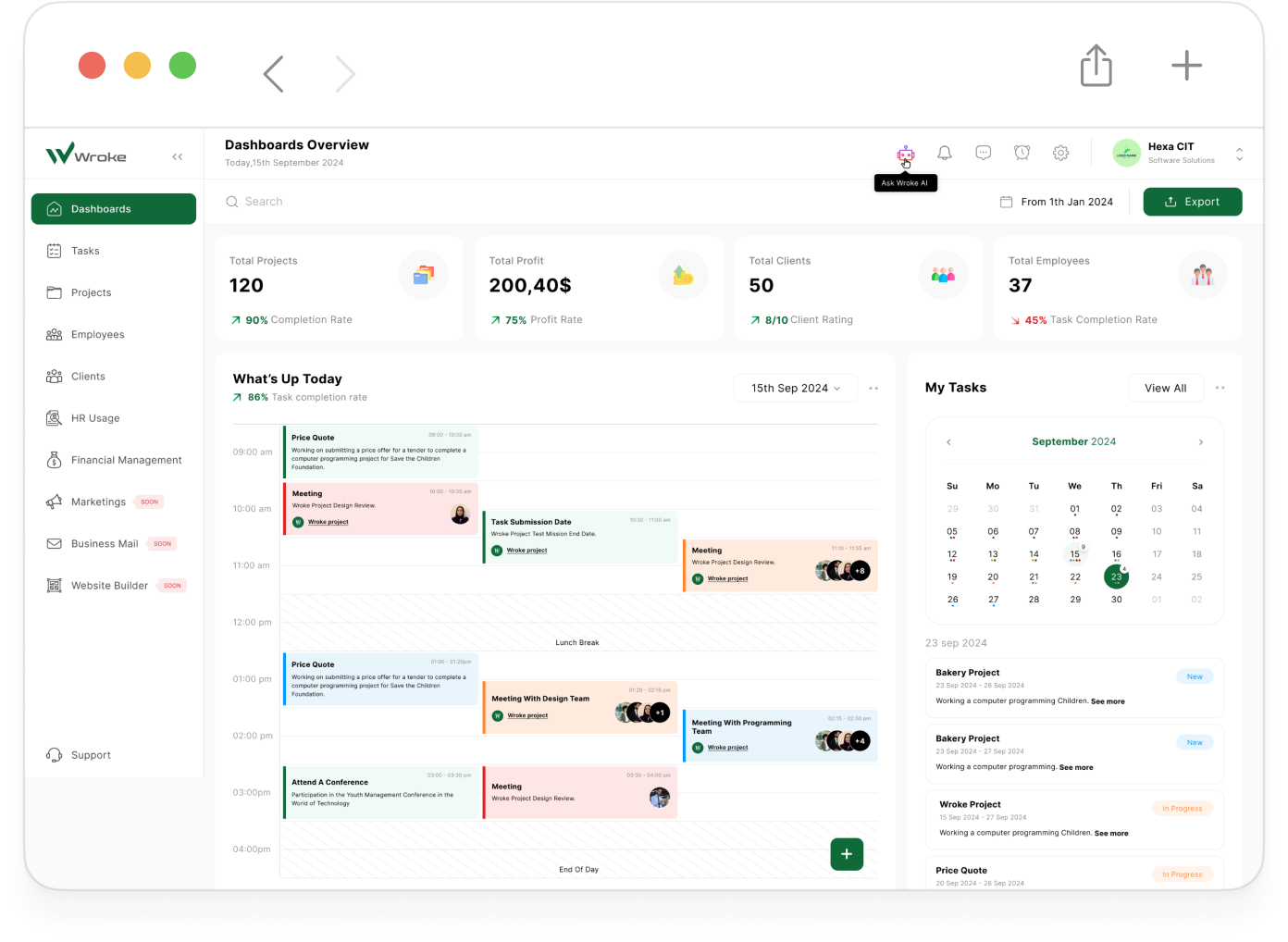
The dashboard in Wroke serves as your central command hub, giving you a full and real-time view of every aspect of your project — from team activity to deadlines and performance metrics. It allows you to effortlessly track task progress, monitor KPIs, and respond instantly to alerts about delays or risks, enabling faster and more accurate decision-making. With its smart, intuitive, and fully customizable design, the dashboard equips you with all the tools you need to manage your team, streamline workflows, and reach your project goals with greater efficiency.
Powerful Features That Put You in Control
Discover the key benefits that make our dashboard your project’s command center — built for clarity, speed, and smarter decisions.

Real-Time Insights
Get instant visibility into your project's current status, task progress, upcoming deadlines, and review of profits, expenses, and other features. With real-time data updates, you can proactively identify issues and adjust plans without delay.

Centralized Data
Gather all your information in one place, from files, conversations, task updates, and employees. You no longer need to navigate between tools or search through emails, which enhances team efficiency and facilitates communication.

Customizable Widgets
You can customize the dashboard interface based on your business, your team's needs, and what you need to see. Choose the indicators, graphs, or tasks you want to focus on. This flexibility helps each member focus on what really matters to them.

Smart Alerts
You receive instant notifications about overdue tasks, urgent changes, or potential risks. These alerts help you stay on top of things and avoid crises before they occur. Thanks to them, you're always one step ahead of challenges and perform better.

Visual Performance Tracking
Track team performance, project progress, and profits through easy-to-understand graphs and indicators. You'll be able to spot patterns, such as late deliveries or declining productivity, simply by looking at them. This enables continuous improvement and more accurate planning for the next phases.

Team Overview Panel
You can see who is working on what, the percentage of completion, and where support and assistance are needed. This visibility helps you distribute tasks evenly and address weaknesses, enhances role clarity, and reduces conflict among team members.

Fast Decision Support
Make accurate and quick decisions based on live, up-to-date data. Whether you need to adjust priorities or reallocate resources, everything is at your fingertips. The dashboard gives you confidence and preparedness in every decision you make.
How do Dashboards work in Wroke?
Take a comprehensive look at how Wroke’s dashboards efficiently organize your projects, provide real-time updates, and help you stay on track to meet your goals seamlessly.
Real-time, comprehensive visibility that supports your decisions and gives you precise control over every project detail.

As soon as you log in to Wroke, the dashboard starts operating automatically by collecting and analyzing real-time data from ongoing activities across projects and teams. The content is continuously updated to reflect task statuses, completion rates, and alerts related to risks or delays, giving you a precise and comprehensive overview of everything happening. The dashboard also provides clear financial insights, allowing you to track project profits, costs, and employee salaries along with any changes. This gives you a full financial picture to support smart planning and budget control. Highly flexible, the dashboard can be easily customized to display the information that matters most to you whether by team, deadline, task priority, or project type. This level of personalization makes the user experience more focused and efficient, offering a clear view that empowers strategic decisions based on real-time and accurate data.