
Streamline Projects And Maximize Team Efficiency With Wroke’s Project Management
Save time and stay in control with Wroke’s Project Management system that organizes files, tracks progress, and coordinates team tasks efficiently.
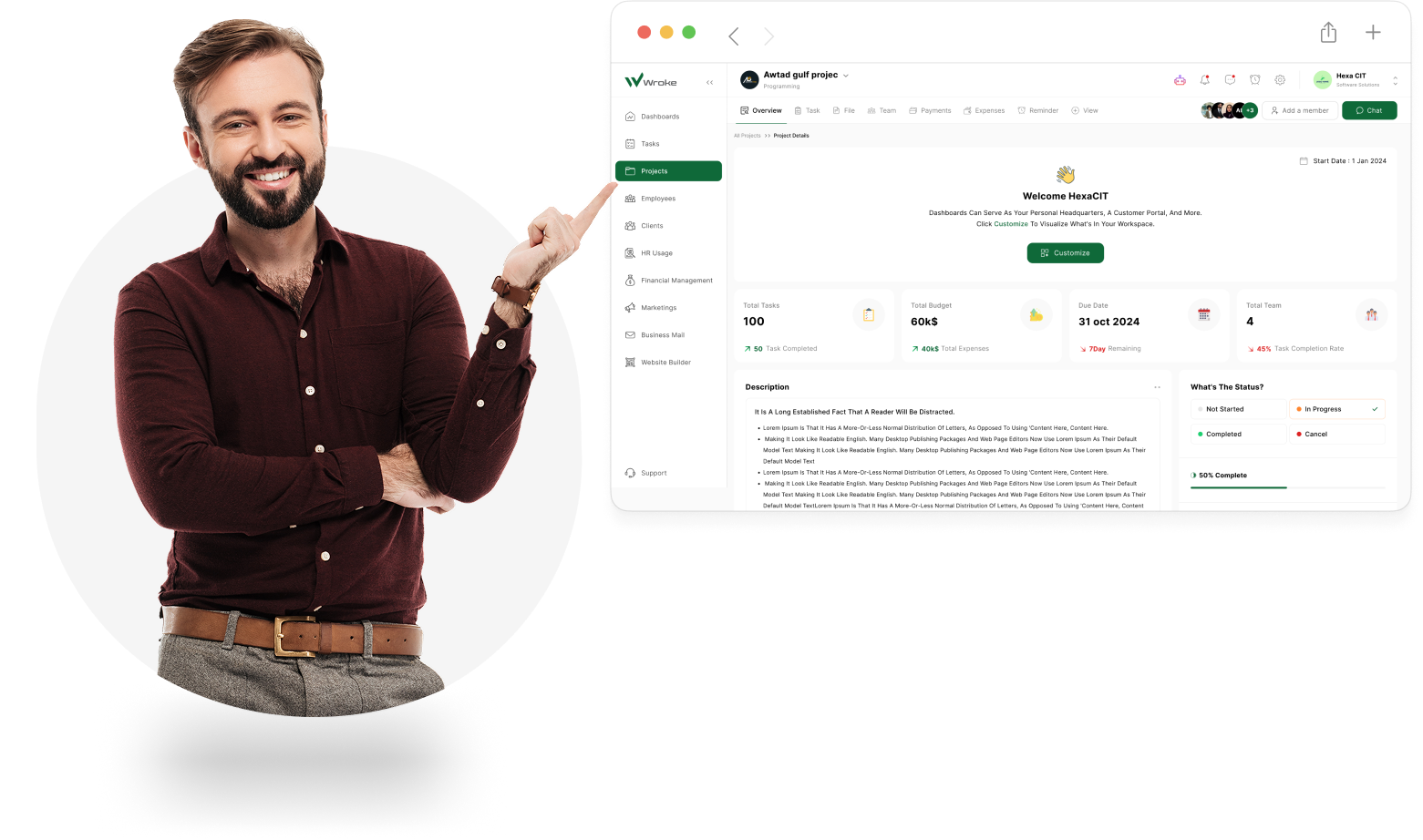
Overview of the Project Management Feature in Wroke
Discover how Wroke’s Project Management feature can transform the way you plan, assign, and track tasks while keeping full control of every project.
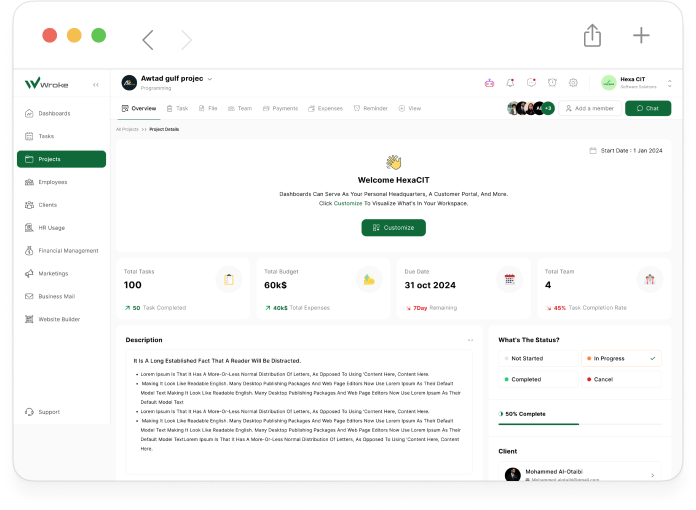
Wroke’s Project Management feature gives you a complete view of each project from start to finish, including all client details and every project stage. You can organize and access all project files easily, assign tasks to team members, and track their progress. Manage incoming payments from clients as well as outgoing payments to your team or suppliers, and set reminders for important deadlines. The dashboard provides a clear overview of all team activities, monitors budget usage, and delivers full control and insight into each project at every step.
Powerful Features That Keep Your Projects on Track
Discover the key benefits that make Wroke’s Project Management feature your team’s command center — designed for clarity, efficiency, and smarter project delivery.

Task Organization & Assignment
Wroke helps you create, organize, and assign tasks efficiently, ensuring every task is tracked, deadlines are met, and the project stays structured and on schedule.

Real-Time Progress Tracking
Monitor task completion and project milestones in real time, giving you full visibility and ensuring projects stay on schedule.

Smart Scheduling & Milestone Management
Set deadlines and milestones precisely, allowing the system to notify the team and keep everyone aligned for timely project delivery.

File & Document Management
Organize all project-related files and documents in one place, making it easy to access, share, and maintain a clear record of project assets.

Budget & Payment Tracking
Monitor all incoming client payments and outgoing team expenses to maintain financial control, transparency, and accurate tracking throughout the project.

Team Collaboration
Enhance communication and coordination among team members with shared task updates, comments, and real-time notifications.

Reporting & Analytics
Generate detailed project reports and analytics to evaluate performance, identify bottlenecks, and make informed decisions.

Automated Status Updates
Task statuses are updated automatically based on progress, providing transparency and reducing manual work.

Flexibility & Customization
Customize workflows and project structures according to your team’s needs, adapting easily to changes and new requirements.
How Does Project Management Work in Wroke?
Discover how Wroke’s Project Management feature helps you plan, assign, and track tasks efficiently, optimize team collaboration, and deliver projects on time with full control.
Streamline projects and empower your team with Wroke.

Project Management in Wroke relies on a structured workflow that coordinates tasks, team responsibilities, and project milestones automatically. Users start by creating projects and breaking them into defined tasks, assigning each task to specific team members with deadlines and priorities. The system continuously monitors progress, updates task statuses, and tracks client payments and team expenses. Reminders and notifications are triggered for approaching deadlines, overdue tasks, or important updates. All project files, stages, and deliverables are kept organized in one place, while the dashboard provides a real-time overview of team activity, budget usage, and project performance. Multiple tasks, dependencies, and milestones can be linked to streamline complex workflows. This mechanism ensures projects stay on track, reduces errors, enhances team responsiveness, and allows managers to focus on strategic decisions rather than routine follow-ups.