
Visualize your tasks clearly and manage work efficiently to keep the project on schedule
Kanban boards help organize tasks visually, making it easier to track progress and prioritize quickly, ensuring smooth workflow and better results.
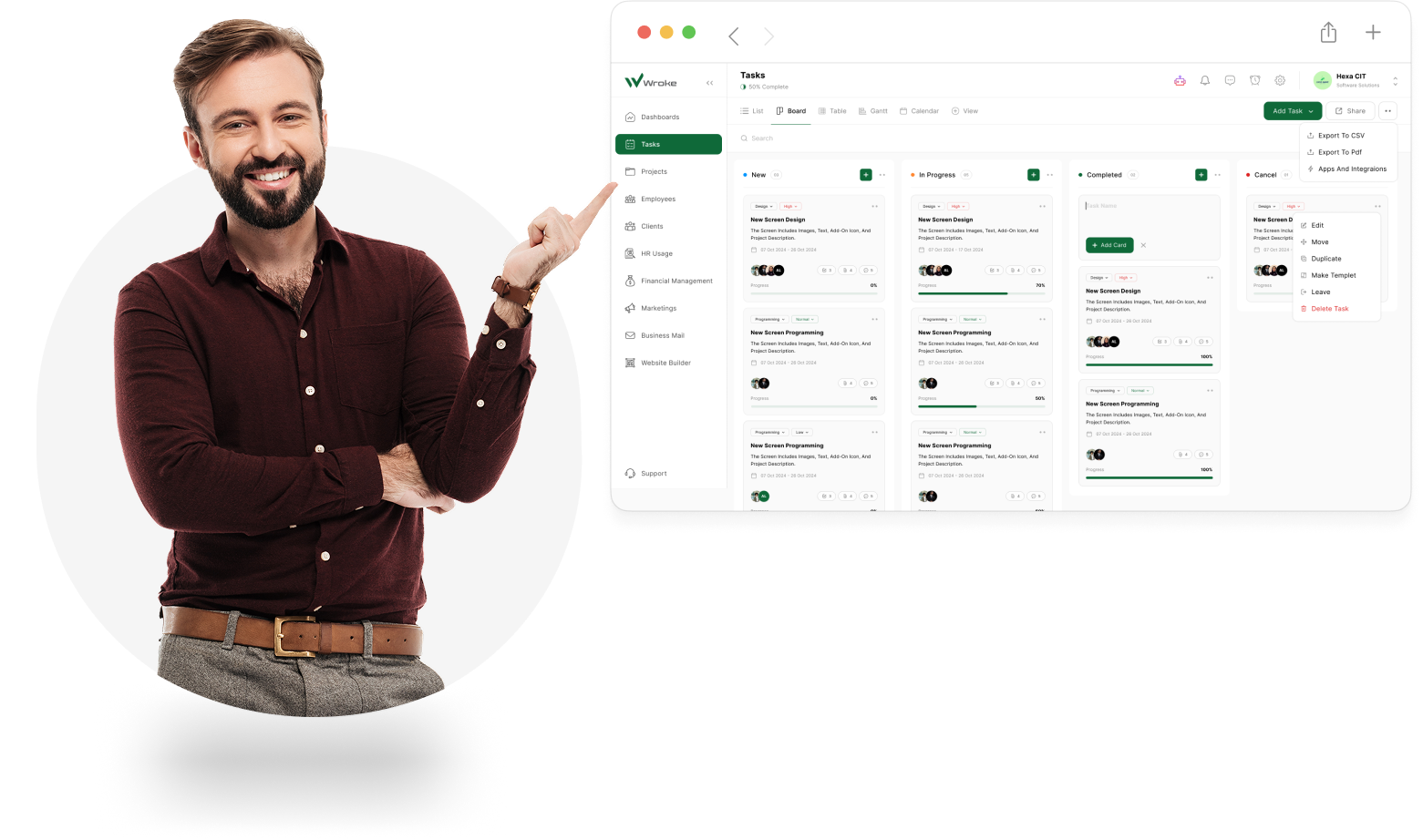
Unlock the Power of Kanban Boards for Seamless Project Flow
Experience effortless task management and enhanced team collaboration with Wroke’s intuitive Kanban Boards, designed to keep your projects moving smoothly from start to finish.
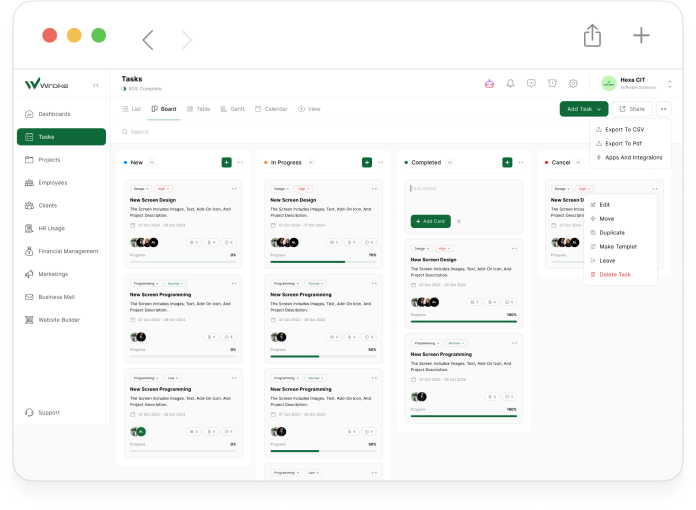
Kanban Boards in Wroke are an intelligent visual tool designed to help you organize and manage tasks with maximum efficiency, displaying all work items as cards arranged in columns that represent different stages of the workflow. This system provides a comprehensive, real-time view of everything happening in your project, enabling you to track task progress, set priorities, and assign responsibilities clearly among team members. With its interactive design, anyone on the team can instantly grasp the project’s status without digging through long reports or endless messages. More than just a visual display, these boards serve as a strategic tool to boost productivity, reduce chaos, and enhance collaboration—making project management clearer, more flexible, and fully adaptable to changes.
Unlock the Benefits of Kanban Boards with Wroke
Discover how Wroke’s Kanban Boards empower your team to work smarter, collaborate better, and deliver projects faster.

Clear and Easy-to-Understand Visual Layout
Kanban Boards in Wroke give you a clear view of your project, displaying tasks as cards in columns that represent workflow stages, making progress tracking and project understanding simple and intuitive for everyone.

Real-Time Updates
Any change to a card or column is instantly visible to all team members, ensuring everyone works with the latest information without the need for manual updates or long back-and-forth messages.

Easy Priority Management
Assign priority levels to each task—urgent, important, or normal—so your team can focus on the most impactful work and complete it on time.

Flexible and Customizable Organization
Add, rename, or reorder columns to match your preferred workflow or project type, giving you complete freedom to design a board that works for your team.

Drag-and-Drop Simplicity
Update task statuses in seconds by dragging and dropping cards between columns—making progress tracking effortless even for users new to digital tools.

Detailed Task Information
Each card can hold everything needed to complete a task—clear descriptions, deadlines, attachments, links, and a space for comments—keeping all relevant information in one place.

Smart Labels and Categorization
Use color-coded labels and custom categories to organize tasks by type, department, or priority, making it easier to search, filter, and find what you need.

Seamless Integration with Wroke Tools
Kanban Boards work in harmony with Wroke’s timelines, dashboards, and reports, creating a fully connected project management experience.

Accurate Progress Tracking
The visual workflow makes it easy to spot delays or bottlenecks so you can address issues quickly and keep projects on track.

Enhanced Team Collaboration
Every team member can update cards, add comments, and attach files—improving communication, fostering teamwork, and keeping everyone aligned.
How Do Kanban Boards Work in Wroke?
Explore the simple and effective process behind Wroke’s Kanban Boards that keeps your projects organized and your team aligned.
Stay organized and on track with Wroke’s Kanban Boards.

Kanban Boards in Wroke follow a simple yet powerful principle: cards represent tasks, and columns represent stages of completion. Each task begins as a card, where you can add detailed information such as descriptions, deadlines, attached files, and comments. These cards are organized into columns starting from “Planned Tasks,” moving to “In Progress,” and finally to “Completed.” Cards can be easily moved between columns using drag-and-drop, allowing real-time updates for the whole team. The boards also support setting task priorities, adding labels for categorization, linking related tasks, and aligning them with the project’s main objectives. This approach ensures that everyone stays informed, workflows remain smooth without bottlenecks or delays, and the team can instantly adapt to any change or new requirement.